How do I count rows while knitting or crocheting?
In Row & Round, tap the big +1 button once per row or round. The count goes up by 1 and the highlighter bar moves to the next row at the same time, and your place is saved on every tap.
Free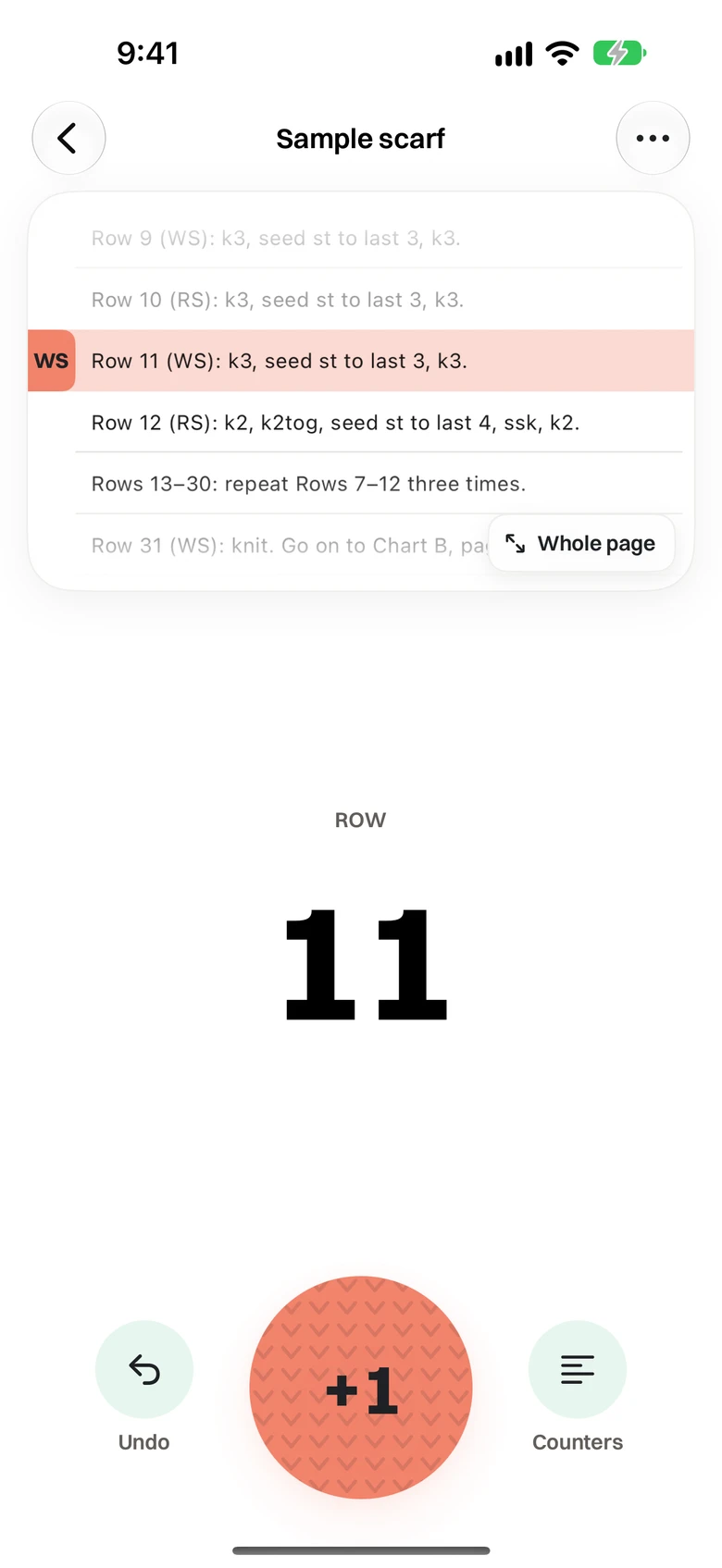
How it works
The count is the row you’re on: a new project starts on row 1. The big count and the round +1 never move on the screen, with Undo and Counters as small buttons beside them. A gentle vibration on every +1 lets you count without looking, and you can turn on a click sound or have the count spoken aloud. Hold the count to type a number when you start mid-pattern. Projects count in rows for flat knitting and in rounds for knitting in the round and crochet, and nothing resets without asking.
When people use it
- Counting rows on a sweater body or sleeve
- Counting rounds on amigurumi, hats or socks
- Keeping a count when you only have a few minutes to knit
Questions
- What if I tap +1 by mistake?
- Tap Undo. It moves the count and the bar back together.
- Can I use it without a pattern?
- Yes. A Just counters project has counters and notes and no pattern file.
- Does it count rows or rounds?
- Both. Knitting projects count rows; crochet and knitting in the round count rounds.